Permission Levels Explained
Permission Levels are how you control who has access to what.
From Highest to Lowest Access these permission Levels are:
-
Administrator

Can access any Shared Plugin Resource except those set to disabled -
Friend
 or
or 
Can access any Shared Plugin Resources set to Permission Level Friend, Guest or Anybody -
Guest

Can access any Shared Plugin Resources set to Permission Level Guest or Anybody
NOTE: people that join the host you are joined to are automatically elevated from Anybody to Guest if you have not set a permission level for that person -
Anybody

Can only access Shared Plugin Resources set to Permission Level Anybody -
Ignore
 Can NOT access anything and if a attempt of direct connect to you then that connection is immediately dropped.
If a plugin is set to Disabled or ignored then that plugin is completely disabled.
Shared Plugin Resourses
These are plugins that multiple people can access at the same time (basically acts like a server).
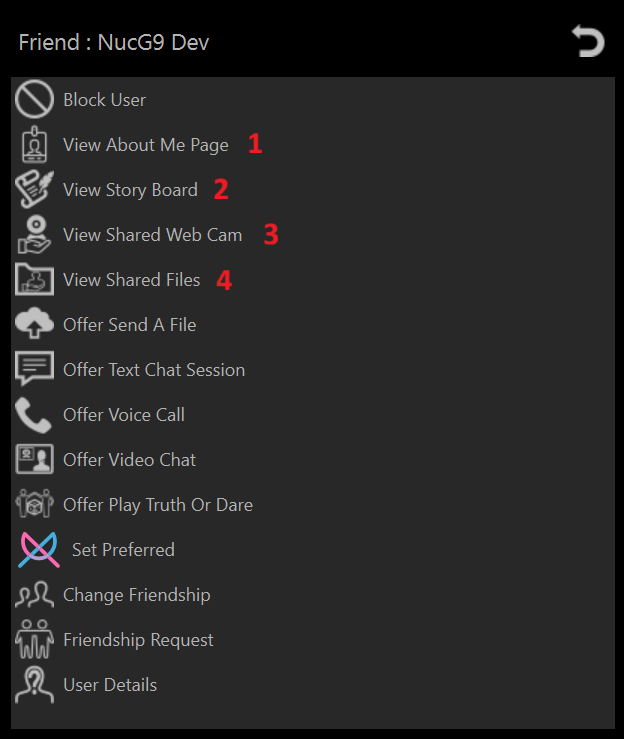
-
About Me Page
A single simple web-like page for a bit about yourself that people with sufficent permission level can view
-
Story Board
A blog posting page that people with sufficent permission level can view
-
Shared Web Cam
A web cam server (Often used as a "nanny cam" or a security camera)
-
Shared Files
People with sufficent permission can either download or stream these media files
How To Limit Peoples Permission to access your plugins
➡️ How To Set User Permissions