How-To Accept A Network Invite
Open Create Invite
Click Accept Invite on home page
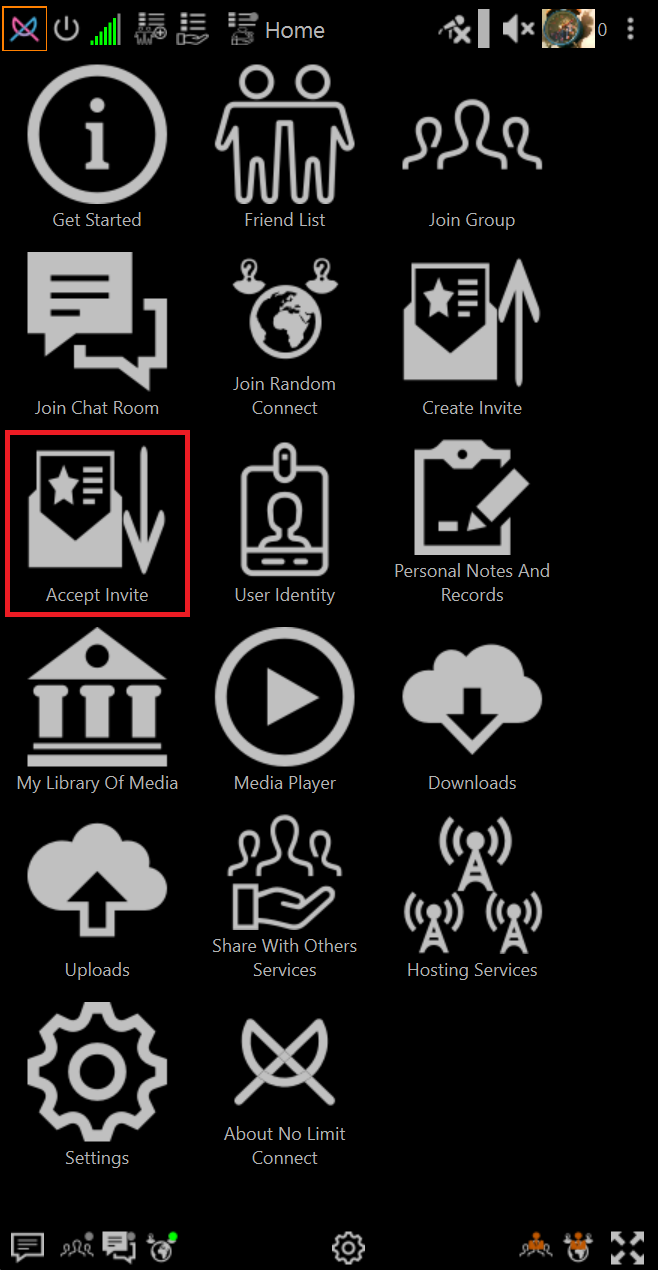
Choose Accept Invite Options
-
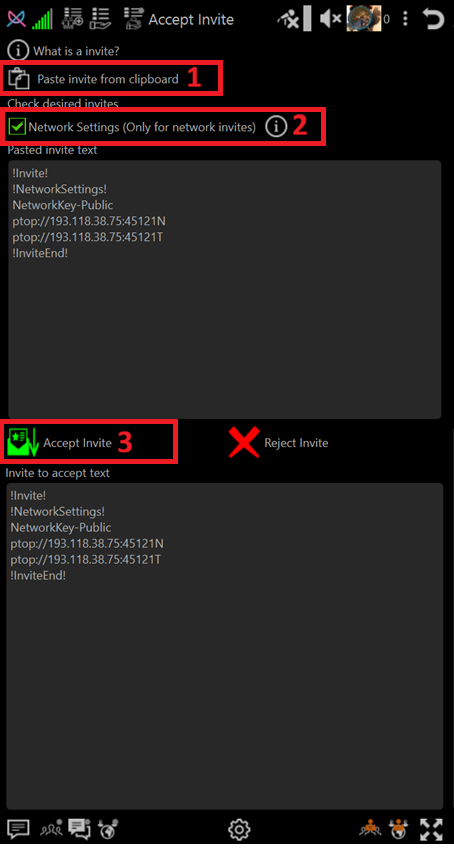
Paste invite text from the clipboard button
Copy invite text you were sent to clipboard (Highlight and Ctrl+C on most system)
Click the Paste invite from clipbard
-
Select Network Invite
Check the box **Network Settings (Only For Network invite)
-
Accept the invite
Click Accept Invite
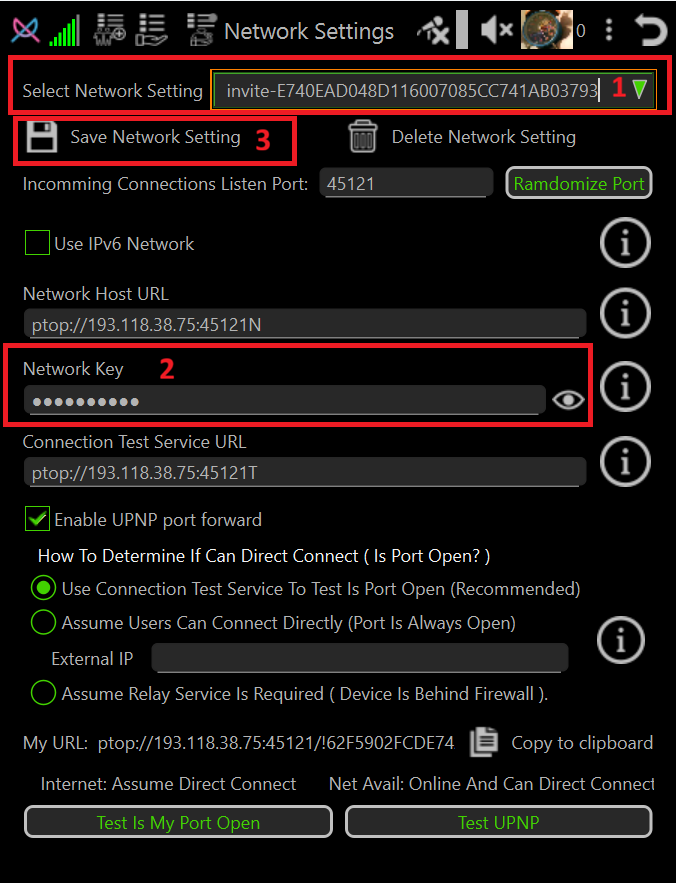
Network settings page will popup with the accepted network settings.
Save Network Setting
-
Optionally change the network setting name to something you can remember
CLick mouse in Select Network Settings field and change it
-
Private Network Key Information
If your invite text contains NetworkKey-Private instead of NetworkKey-Public then be sure to paste the Network Key you were sent into Network Key field before pressing Save Network Settings.
For more information about public and private network keys please read Encryption Overview
-
Save Network Setting
CLick Save Network Setting button.
Immediately exit application and restart it to avoid possible ban as hacker.